Answers from your material.
A call when it's needed.
The chat answers from what you have pointed out as the truth: your site and your knowledge base. If the answer isn't there, it offers a call instead of guessing.
See the AI chat in a demo- Languages
- 9
- Answers from
- Your site
- Lines of code
- 1


The question is asked in the widget.
The answer comes from your knowledge base.
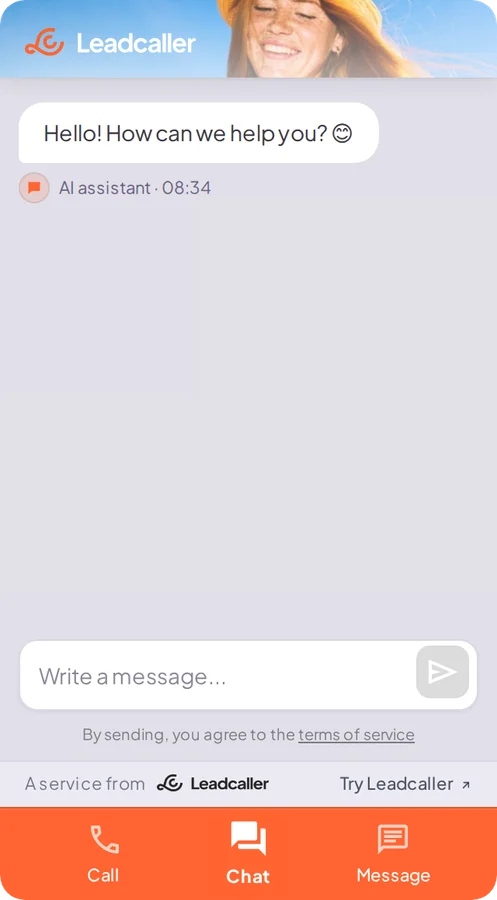
The chat is one of four modes in the same widget. It answers from what you have pointed out and hands over to a person when the question isn't covered.
- The visitor asks the question in the widget.
- The chat answers from your knowledge base, with a source.
- If there is no answer, a call is offered instead.
More than
a chatbot.
Answers with sources
The chat answers from your site and knowledge base and shows where the answer comes from.
Nine languages
The knowledge base can be in one language and the answer in another. The widget follows the visitor's language or is locked to your own.
You decide what it knows
The knowledge base is edited in the admin panel and takes effect immediately, without changing the code on your site.
The same lead as a call
Contact details and the enquiry from the chat reach you as a lead, with an alert by email and SMS.
Callback in the same widget
When a question needs a call, the chat lifts the visitor into callback, without switching tools.
Proactive with Ambient Agent
In beta: the widget makes the first move when the visitor hesitates.
Common questions.
Where does the chat get its answers?
From your site and the knowledge base you add in the admin panel. The chat answers with a source, and if there is no answer it offers a call instead of making something up.
Which languages does the chat handle?
Nine languages. The knowledge base can be in one language and the answer in another, and the widget can follow the visitor's language or be locked to your own.
Why not just a chatbot?
A chatbot answers in writing and stops there. Here the chat is one of four modes in the widget and can lift the same visitor into a call when the question can't be settled in writing.
Can we change what the chat knows?
Yes. The knowledge base is edited in the admin panel and takes effect immediately. The script line on your site stays the same.
Does the chat set cookies?
The widget sets no cookies before consent, and the data is stored with AWS in Stockholm.
The rest of
Leadcaller.
- Website widget The widget Calls the visitor back within 45 seconds, or when it suits them. Chat and messages live in the same icon.
- Voice agent, in beta AI receptionist Answers when you can't, asks what you need to know and files the call with a summary in admin.
- Proactive chat, in beta Ambient Agent Reads how visitors behave on your site and lets the widget make the first move when someone hesitates.
- SMS campaigns Outreach Upload your contact list, let the AI send the texts and book the meeting when someone replies.