

A callback on a website lets the visitor leave their phone number and choose to be called now or at a later time. Your team then calls back according to the flow you have chosen. The visitor does not have to look for a number, wait in a queue or write down their request in a form.
What happens after the visitor presses the button decides whether you win the deal or whether the visitor moves on to the next tab. That is why it pays to decide the flow before you switch the feature on.
How callback works step by step
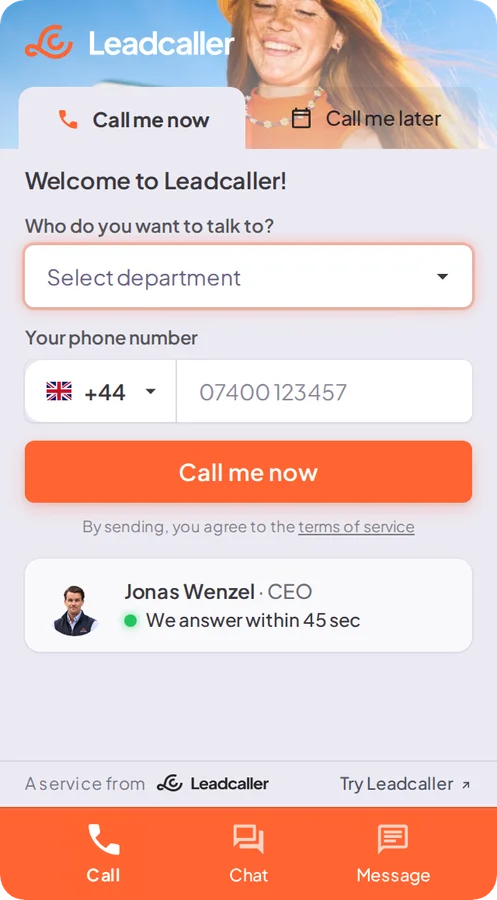
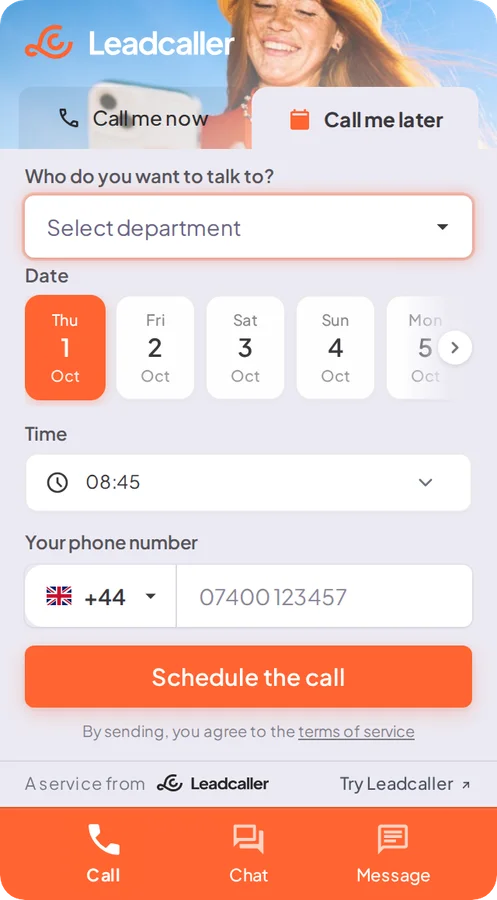
- the visitor types their number in a field on the page and chooses now or later
- for a call now, someone in your team is called first and takes the call, usually by pressing a key
- the visitor is then called and connected to the same call
- for a later time, the call is scheduled for the time the visitor chose
The shorter the time between interest and call, the more of the interest is left. So the callback should happen while the visitor is still at the screen. Aim for minutes, not hours.
When does the visitor choose a call now or later?
Call me now is for those who want to talk straight away. Think of a homeowner who has read about roof replacement and wants to know if you can fit it in before winter. The homeowner types their number, someone in your team takes the call and the homeowner is connected while the page is still open. If nobody in the team can answer, the AI receptionist, if switched on, can call back instead.
Call me later is for those in a meeting, on a train or who prefer to talk after work. A buyer who finds you in the middle of a meeting chooses a time in the afternoon instead, and the call is scheduled for that time. Someone who gets in touch in the evening can leave a message, if you have that channel switched on. Without the second option you lose those who were interested but busy.
Who is called first and what happens if nobody answers?
Call the team first. If the system calls the visitor first and looks for a salesperson afterwards, the visitor ends up in a queue on their own phone. Also let the visitor choose what the request is about, so a service request goes to the service team and not to sales.
Plan for moments when nobody can answer. If you have an AI receptionist switched on, it can call the visitor back when nobody in the team has time to answer and take the request. Otherwise a backup number can be called. Outside opening hours a callback moves to the next open time, and the visitor can leave a message instead of being met by a ringing phone nobody picks up.
What does the team need to know before the call?
Whoever calls back should know what the call is about. Usually it is enough to know what the request concerns, which page the visitor came from and when the visitor wants to be called. Do not ask for more in the first step, take the rest in the call.
After the call, the phone number, the time of the call and the page the visitor came from should be saved, ideally with a recording, so that whoever calls next time can read up instead of starting over.
How to measure requests, response time and completed calls
Track how many ask to be called back, how quickly they get their call and how many calls actually happen. Then add what the calls lead to. That shows both where on the site callback is most useful and where the team needs to answer faster.
When is chat or a message a better choice?
Not everyone wants to talk on the phone. Someone with a simple question about delivery times or opening hours often gets a faster answer in a chat. Someone who wants to describe a request calmly, or who gets in touch in the middle of the night, prefers a message. So offer callback next to chat and messages, not instead of them.
Callback in Leadcaller
In Leadcaller, callback is part of the widget, together with chat and messages. You add one line of code to your site and set up the options and who should be called in the admin panel. After every call, those who receive notifications get an email with the phone number, the time of the call and the page the call came from, and a link to the recording if you record calls. Read more about callback from your website or book a walkthrough.
Key takeaways
- The visitor chooses a call now or a later time within your opening hours.
- Call the team first, and connect the visitor once someone has taken the call.
- Decide in advance what happens when nobody answers or when you are closed.